
Text-to-Speech voice options
In this article
For supported languages, you can choose which Text-to-Speech (TTS) voice is used for audio playback. Available voice options vary by language. Depending on the language, the following options may be available:
- Voice type: Male or female
- Language variants / dialects (for example, regional language versions)
How to change the Text-to-Speech voice
- All audio settings are managed from the QR codes Code Overview panel. To access the Code Overview panel, open the Dashboard, find the code you want to edit and click the icon.
- You can select from a number of narration voices from the drop-down menu under Text to Speech / Upload Audio.
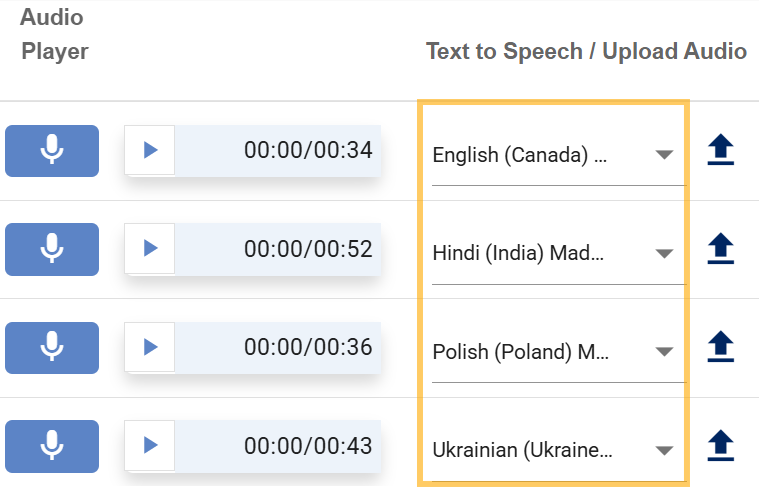
- To preview a voice, click the Play button on the test audio player next to the drop-down menu.

- To publish the changes, click Publish to QR code .
ℹ️ About the 00:00 display on the audio player: Text-to-Speech audio is generated when you click the Play button. Once the audio has been generated, the correct playback duration will be shown.

Was this helpful?
YesNo