
Join or leave a project
In this article
This article explains how you can join a project that was created by another user, and how to leave a project you were invited to.
How to join a project
You can only join a project that you’ve been invited to by its owner. Please ask the project owner to follow the steps listed on this page: How to invite other people to a project.
How to leave a project
ℹ️ You cannot leave a project if you are the project owner.
- Open the Project Members dialog of the project you want to leave:
a: Open the project, and click the button.
or
b: In the top navigation, click the button to open the Projects overview. Locate the project, select , then click members. - Click the icon located above the permissions table on the right.
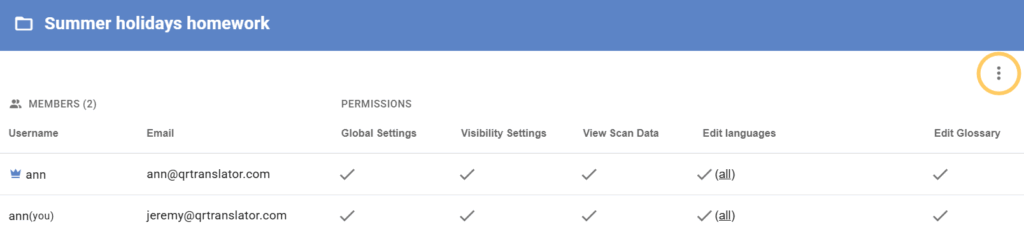
- Click Leave Project to leave the project.
Was this helpful?
YesNo