
Download QR codes
In this article
This article shows how to download the QR codes you made in QR Translator.
1. Where to find your QR codes
- Open the Dashboard . In the list, find the QR code you want to download.
- Click the QR icon to open the QR code download page.

ℹ️ If you can’t find the QR code, make sure you are in the right project.

3. Select size and output
Size
- Select the QR code size based on how you plan to use it (print, signage, or digital display).
Output
- SVG – Best for print and professional design. Scales without losing quality.
- PNG – Best for digital use such as websites, emails, and screens.
4. Download QR code
Click download to download the QR code to your PC.
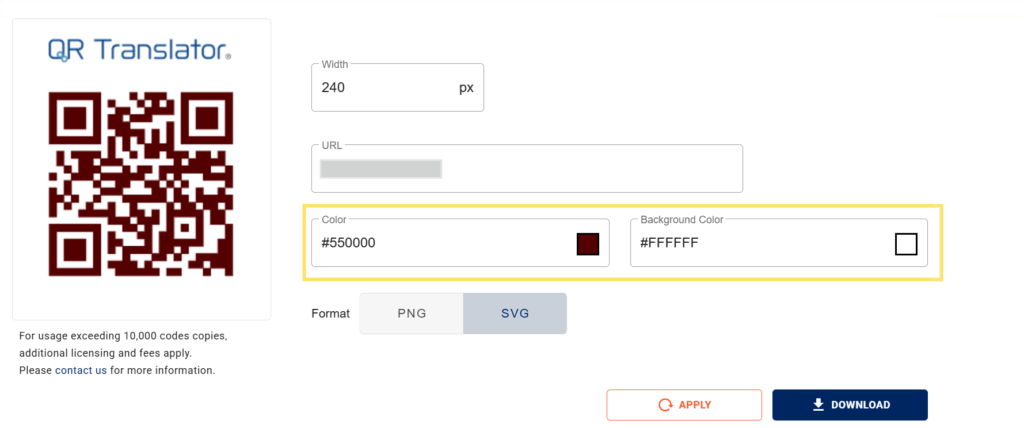
5. (Optional) customise colors
You can adjust the QR code’s color and background color to match your design.
Select your preferred colors in the fields provided, then click apply to update the preview.
Was this helpful?
YesNo